
First Step
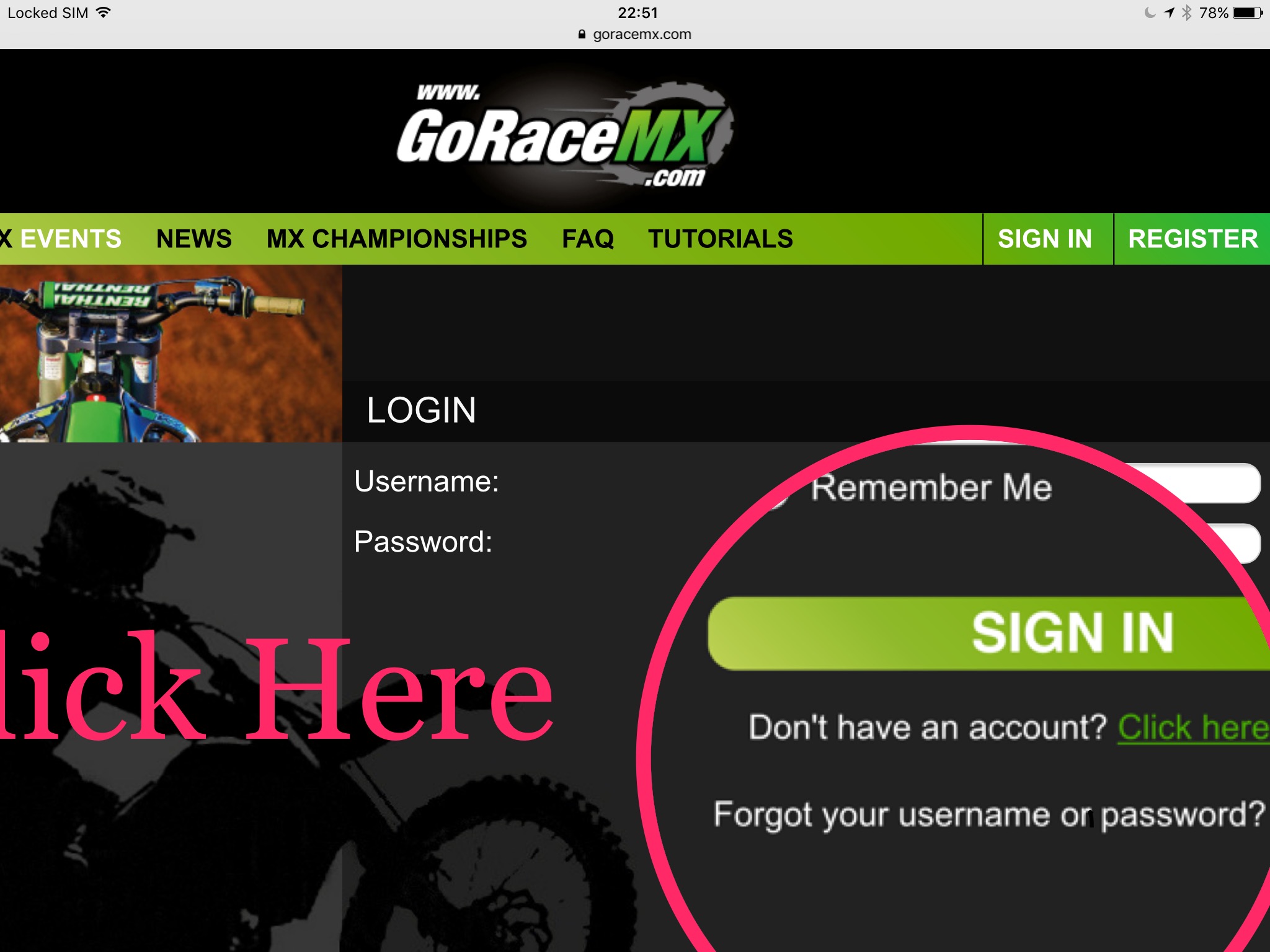
Go to the sign in page and Click the ‘Forgot your username or Password’ link
Second Step
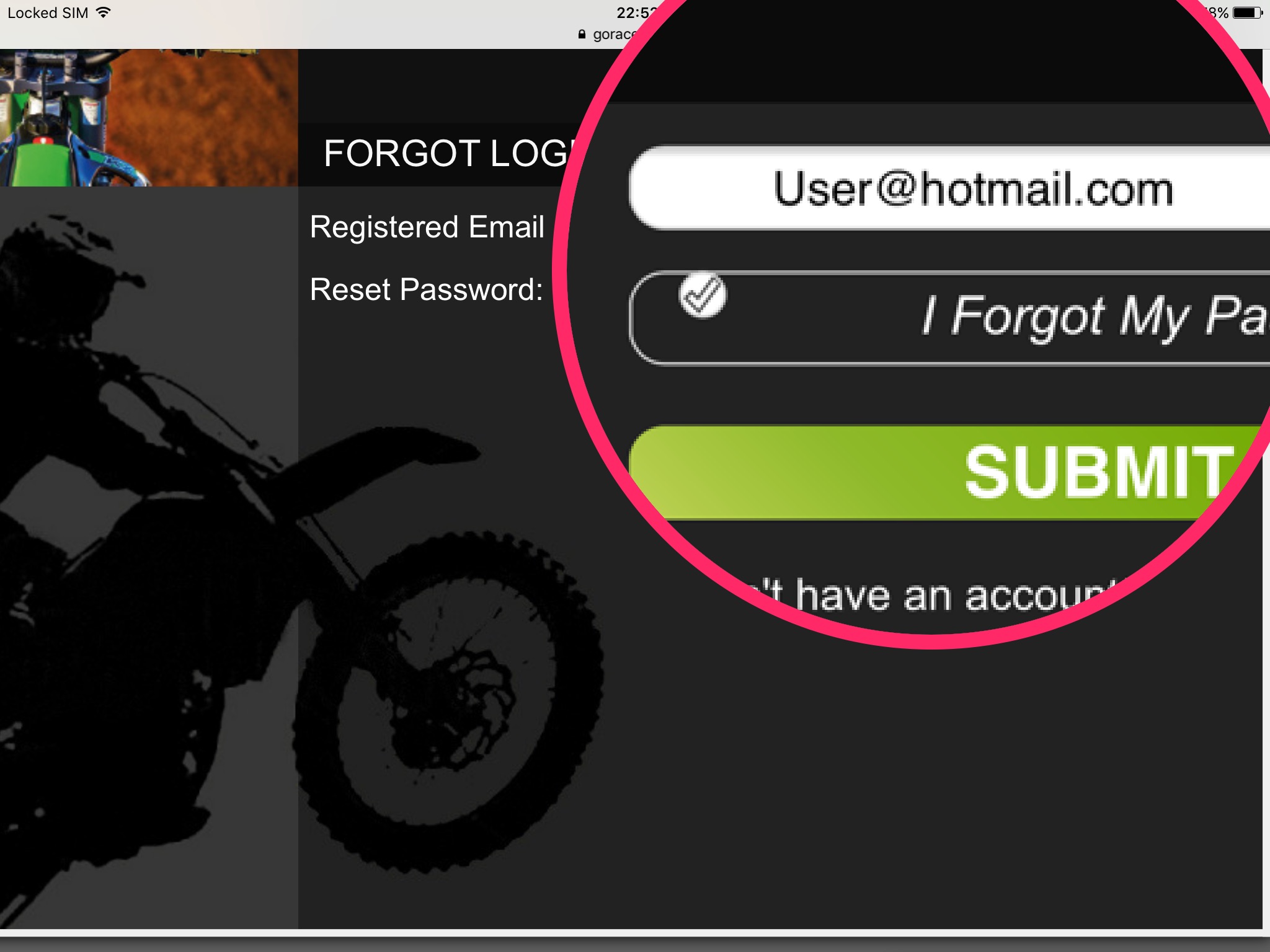
Type any email address you may have used for the account into the box one at a time and click ‘Submit’ .
If you need a password reset link to be emailed out tick the ‘I forgot my password’ box
Third Step
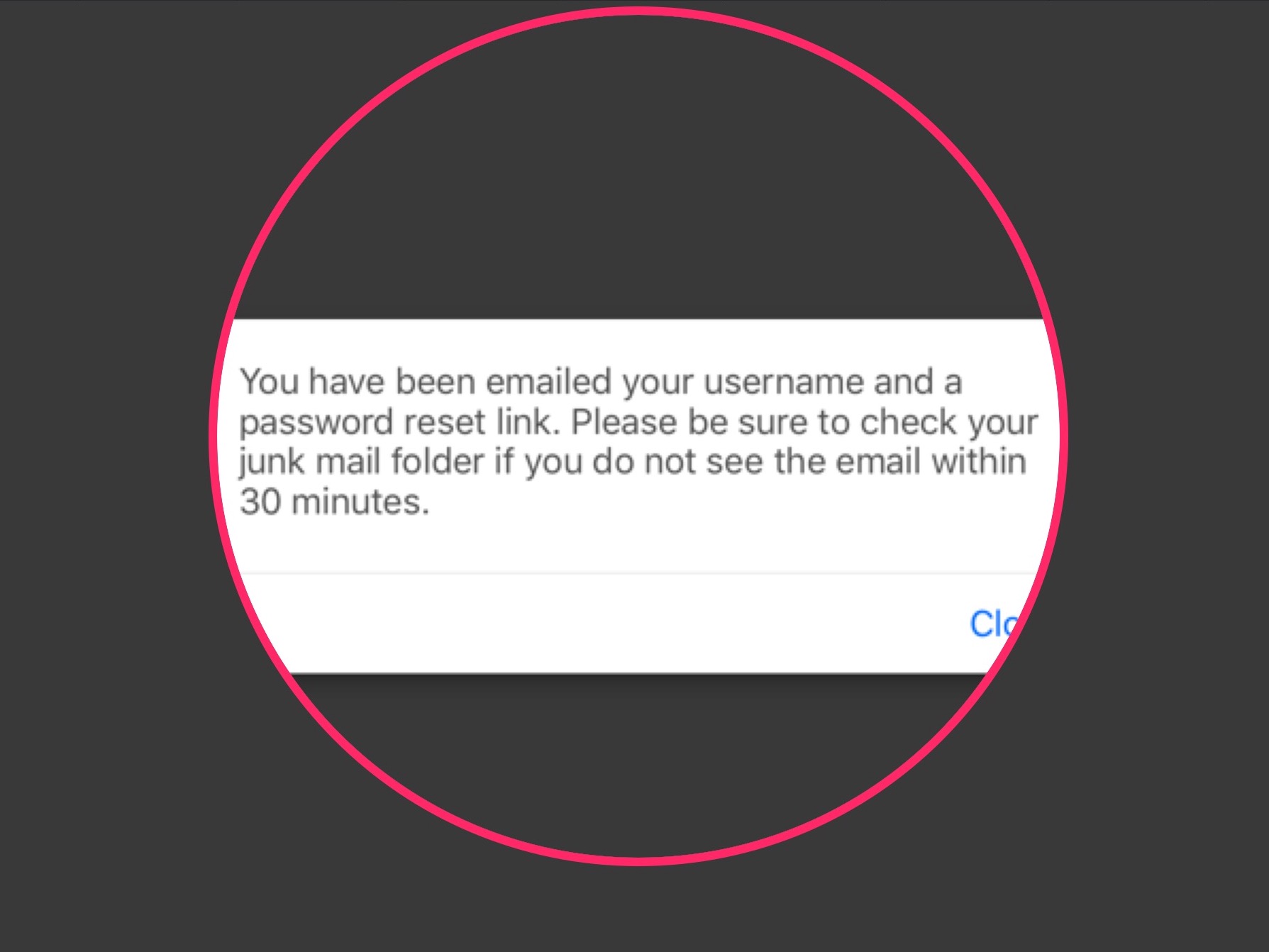
When you enter an email address that has been used on a GoRaceMx account this message will pop up to let you know an email has been sent out. It wil contain your username and a password reset link. Check your junkmail if you dont receive it to your inbox.
Final Step
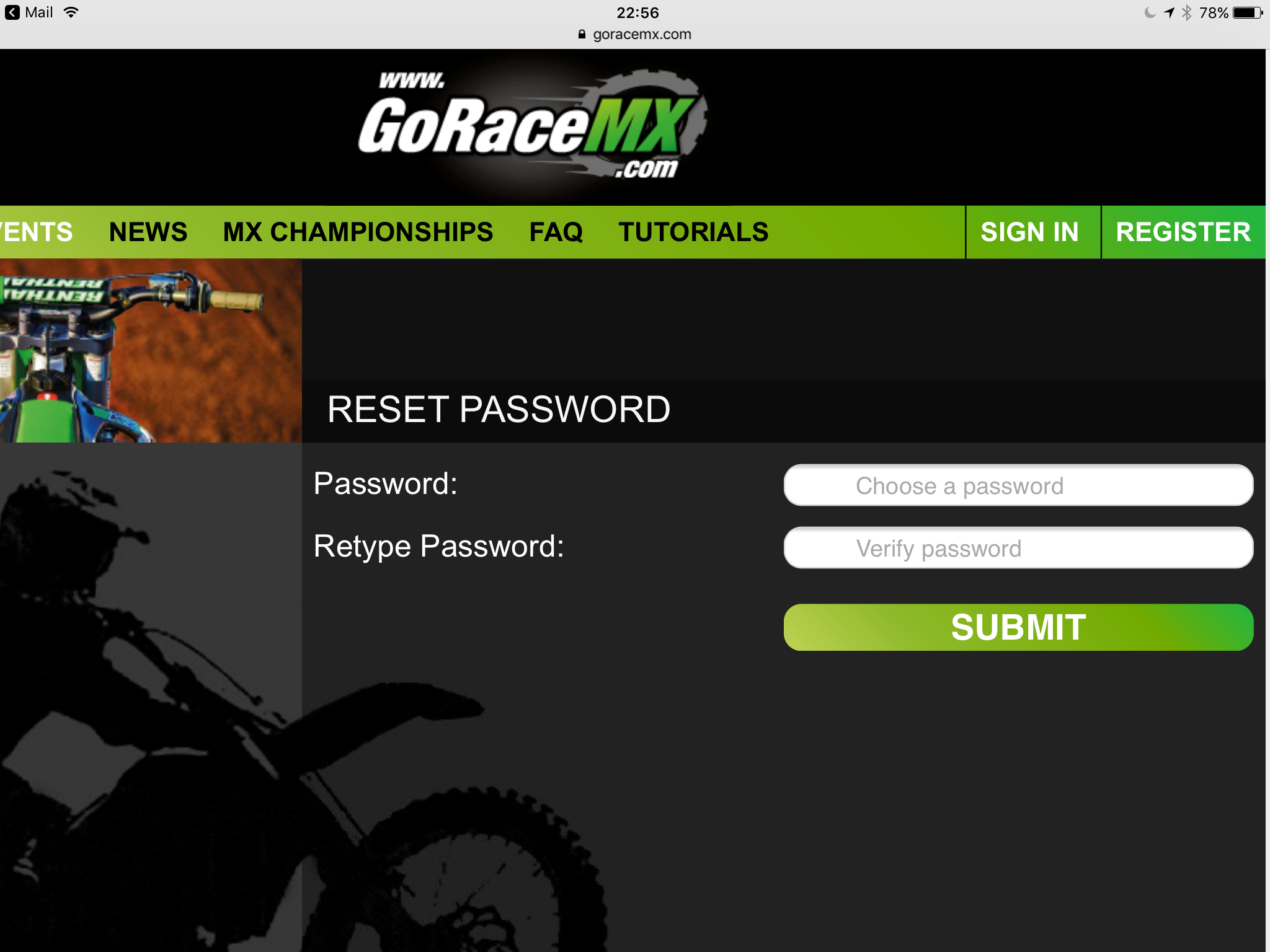
Input your new password into both boxes to ensure there isnt a typo and hey presto your new password is reset.
One last thing
If you cant find the right email address you may have entered a false one when creating your account or it may have a typo when you first entered it, in this case please use the ‘contact us’ form to get in touch and we can edit the email address used on the account for you.